
Card shop · Help
Put your cards on your phone
About 3 minutes. Do it before you fly. Once the cards are in your photos, they work with no signal and no app.
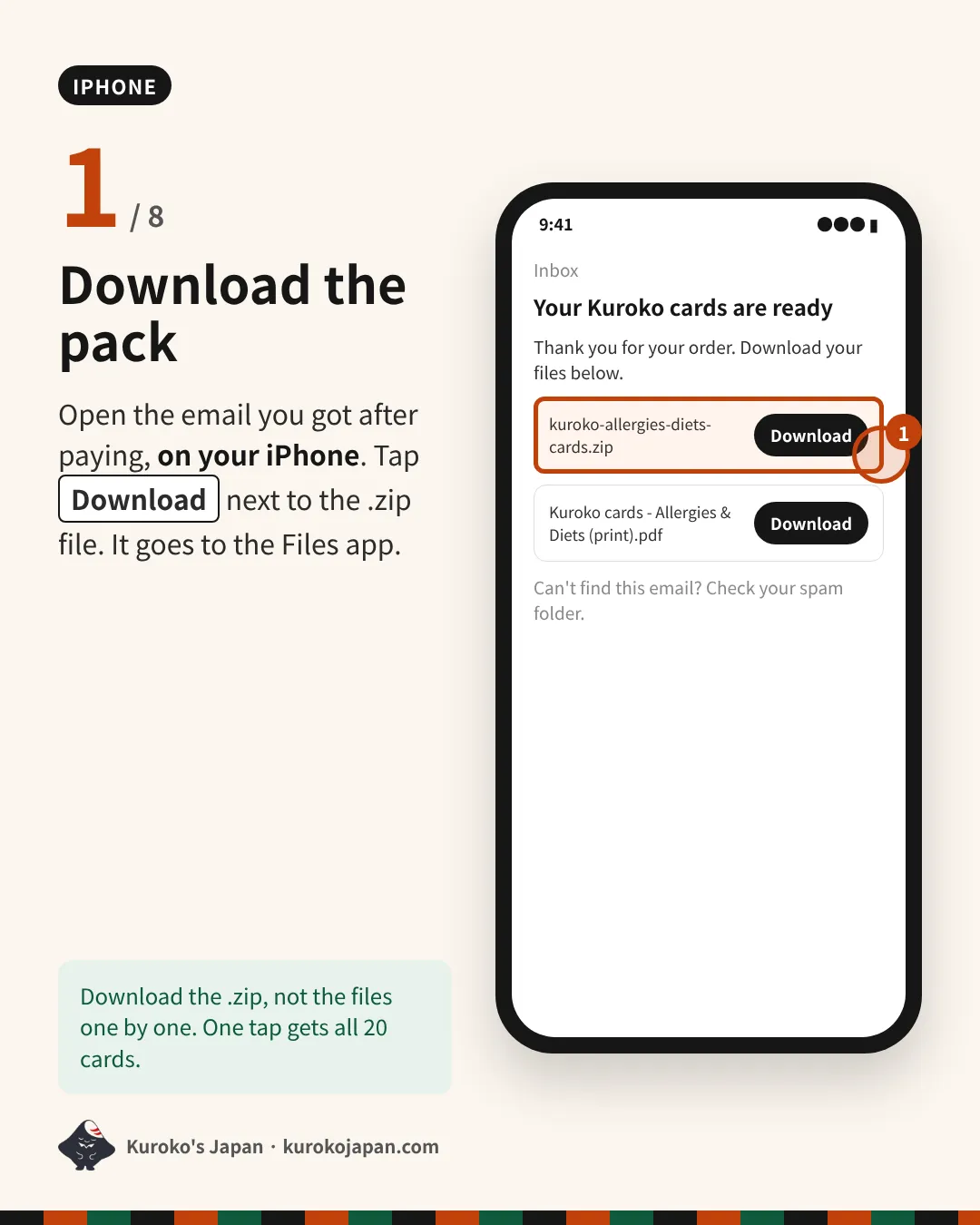
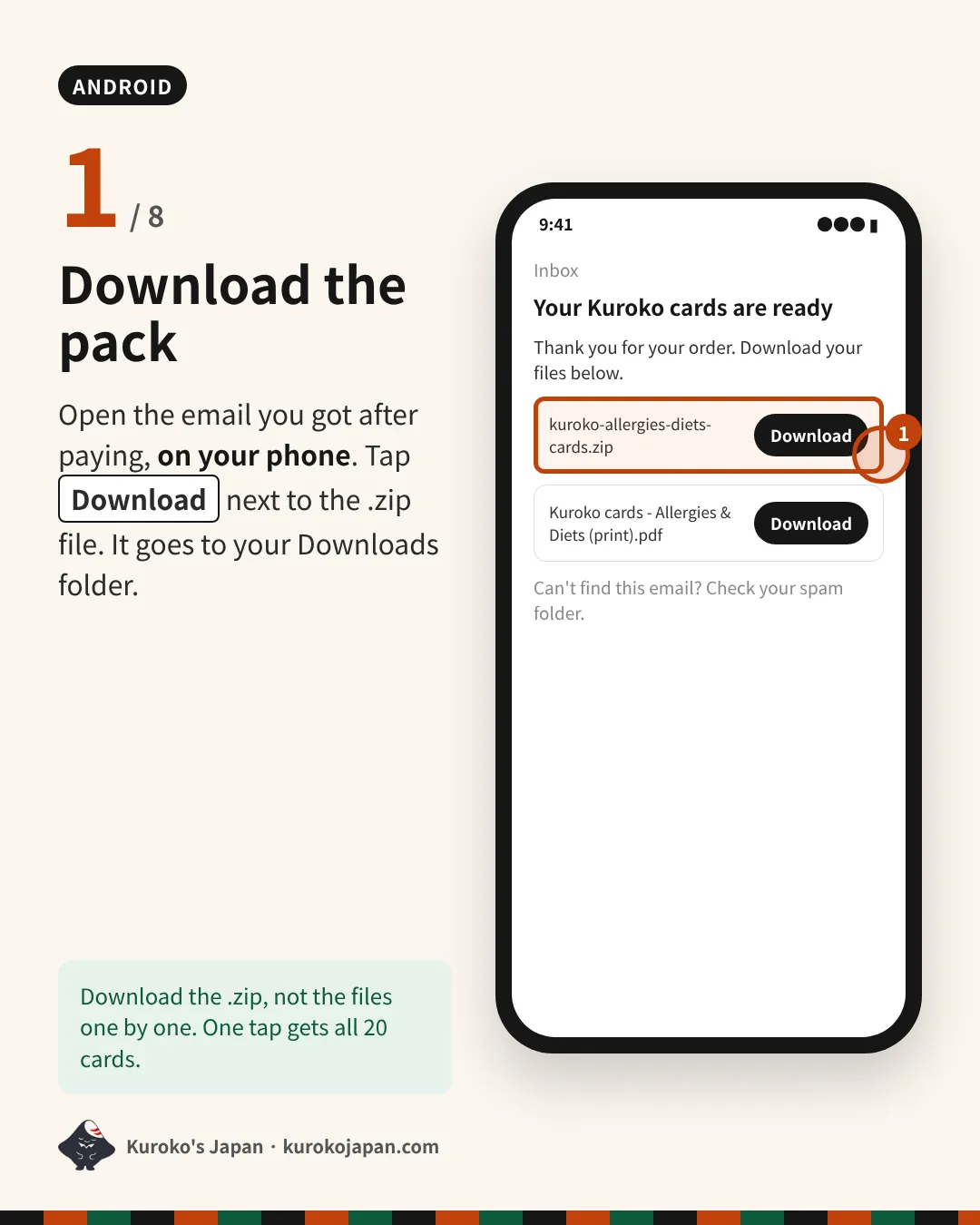
- Download the pack
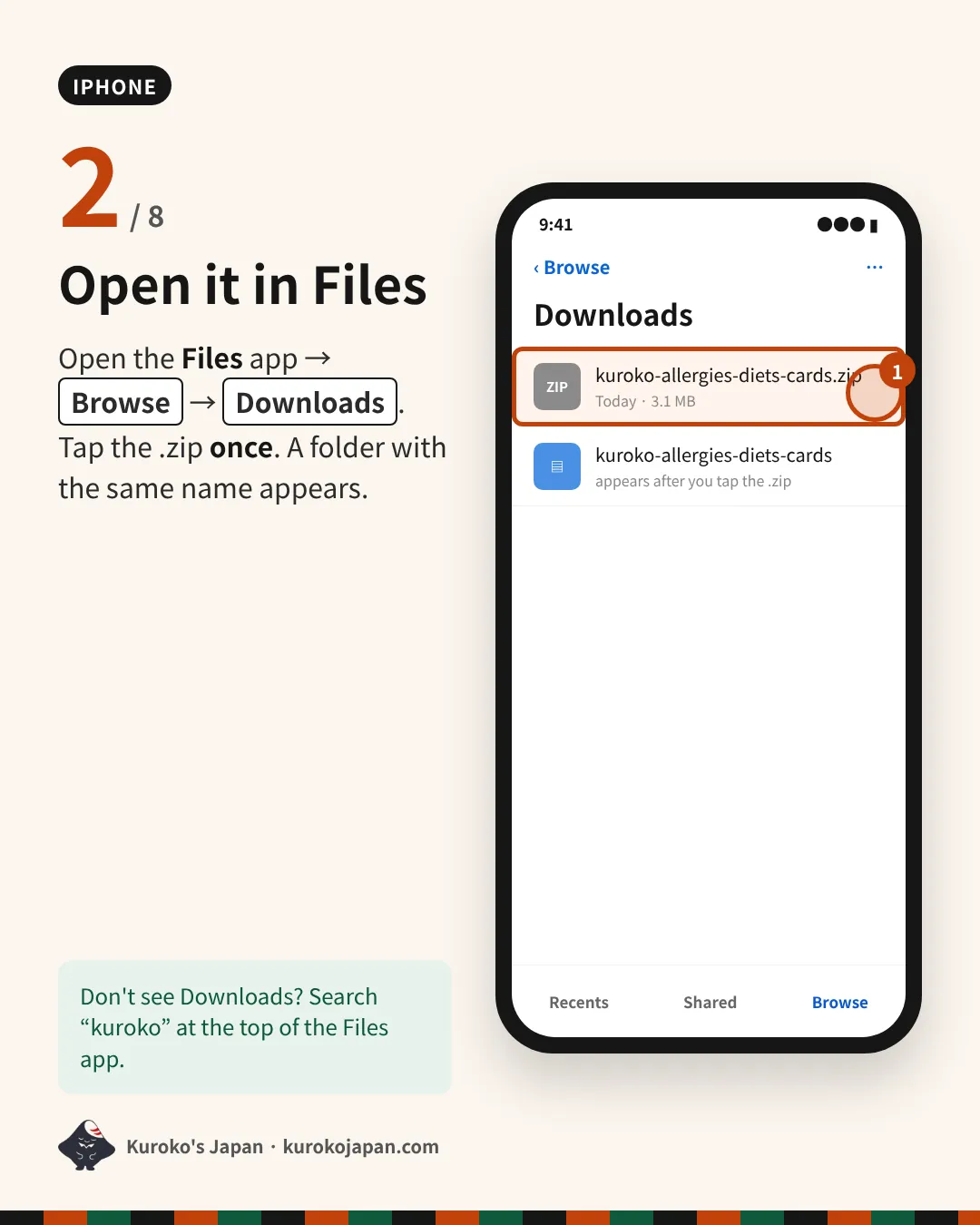
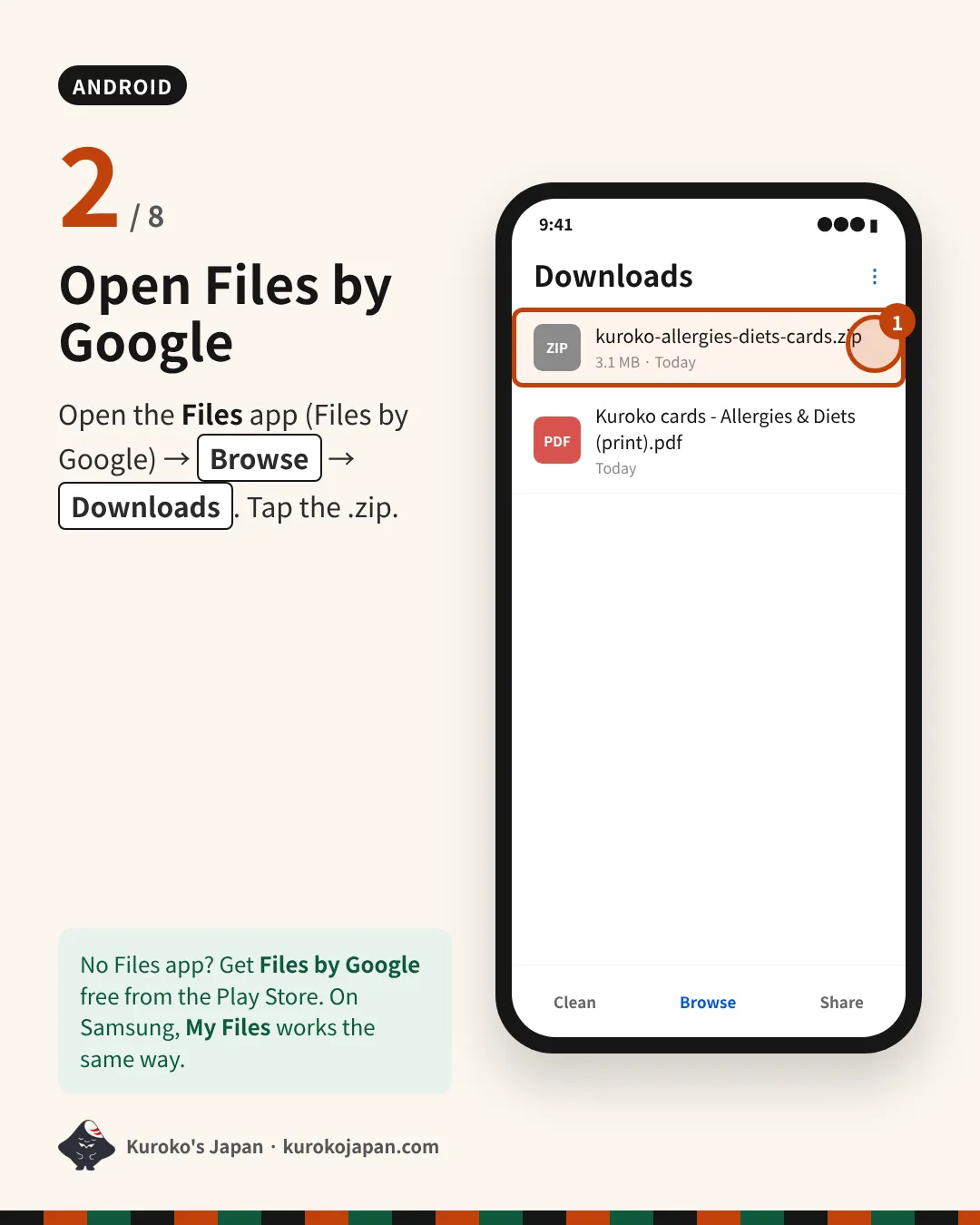
- Open it in Files
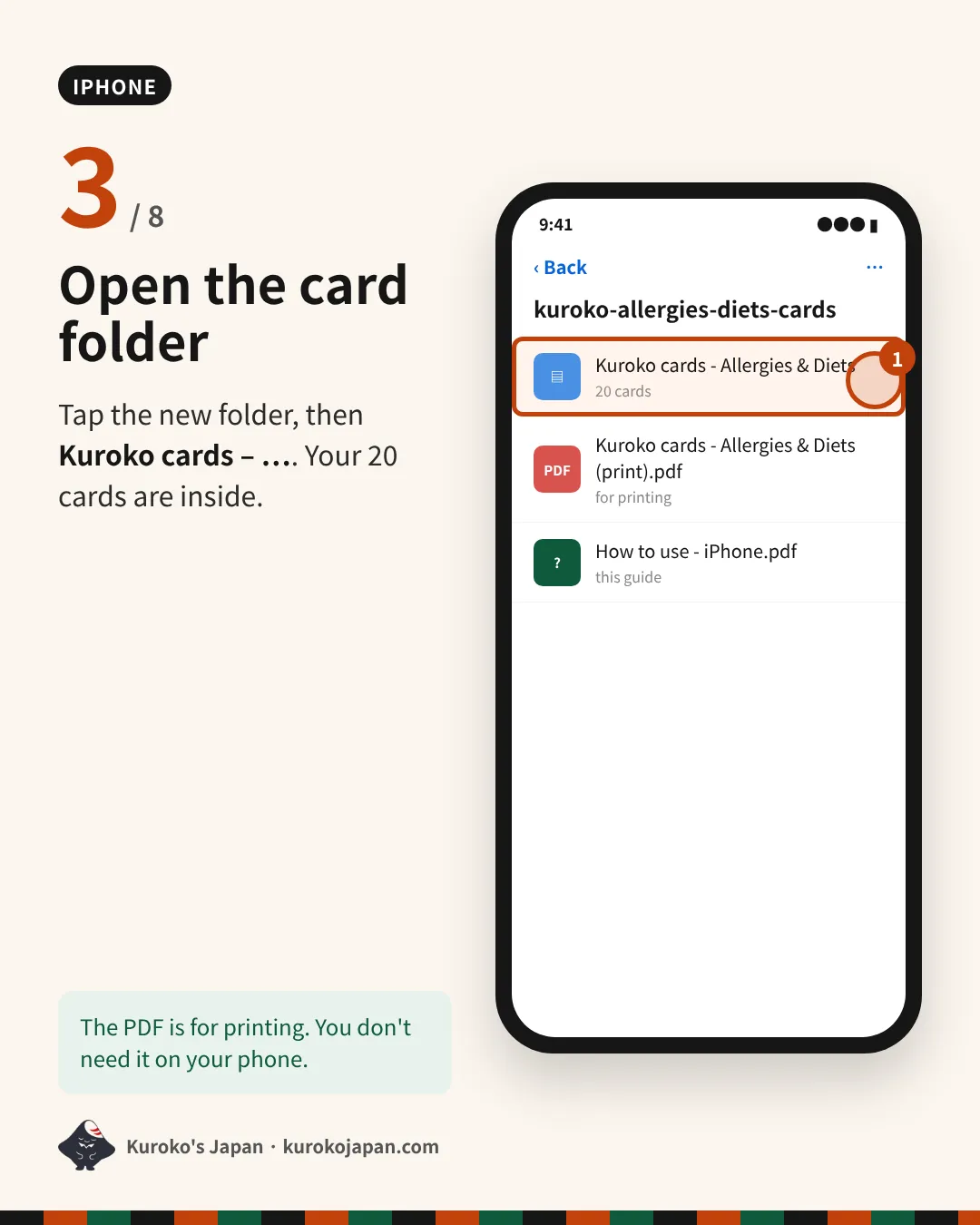
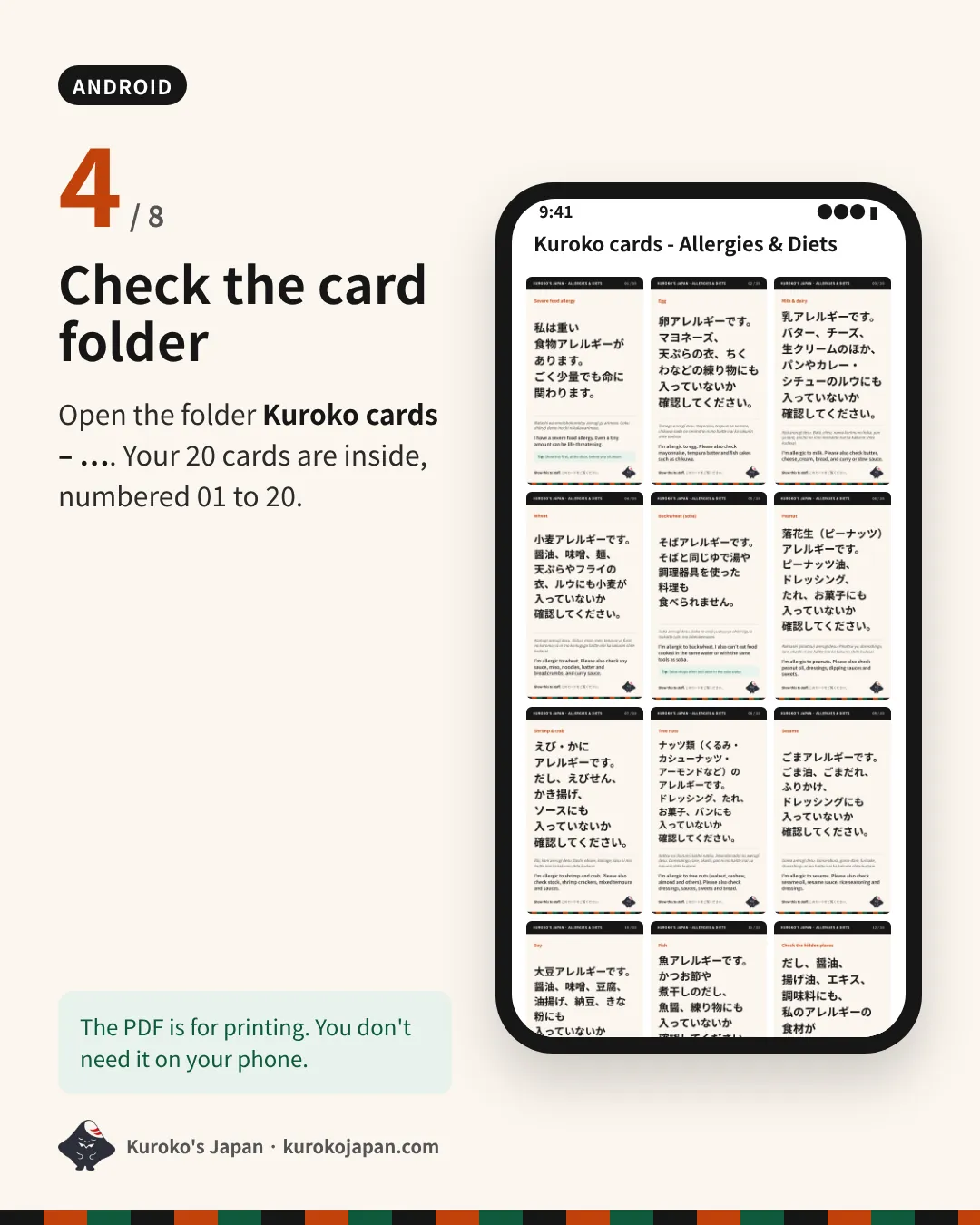
- Open the card folder
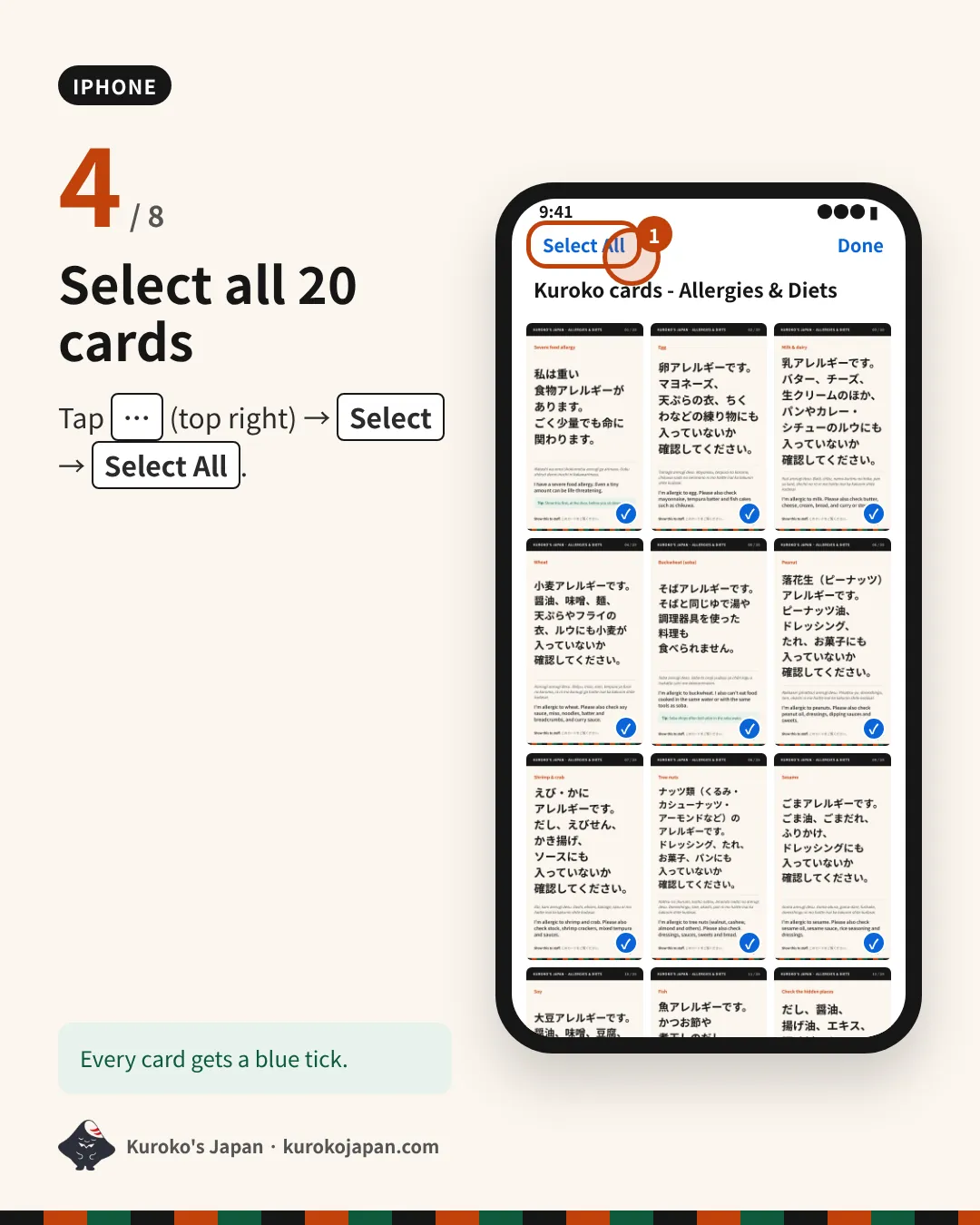
- Select all 20 cards
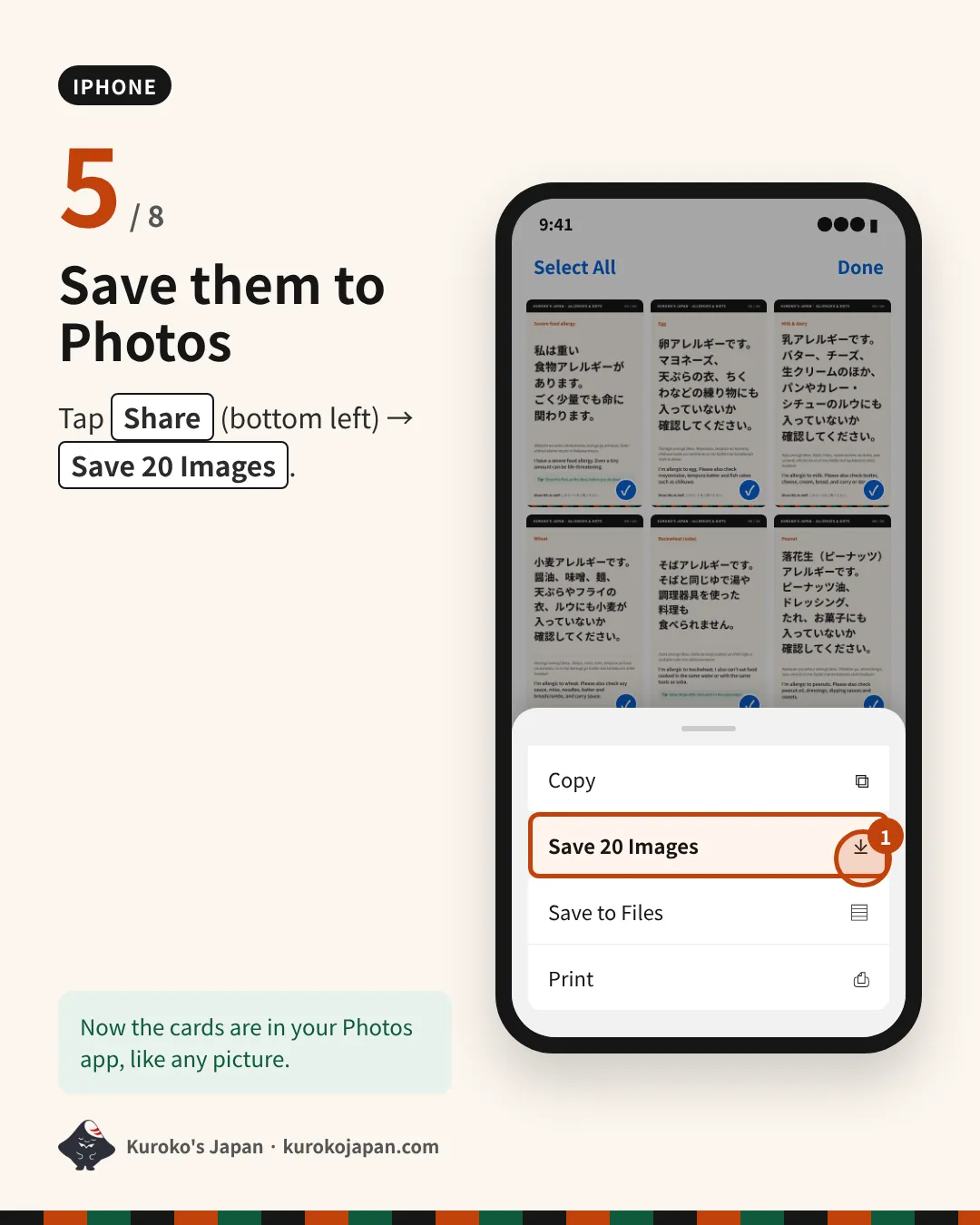
- Save them to Photos
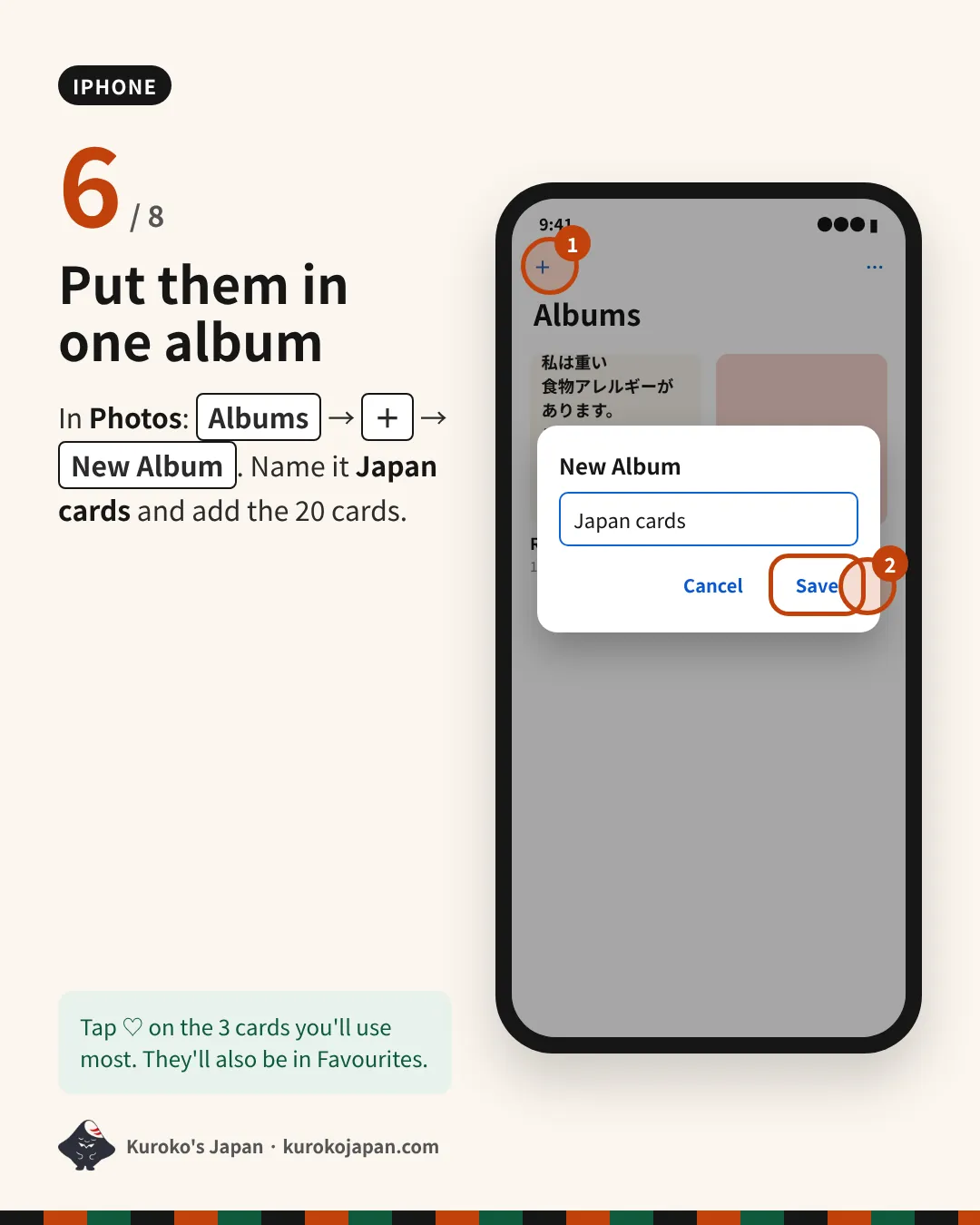
- Put them in one album
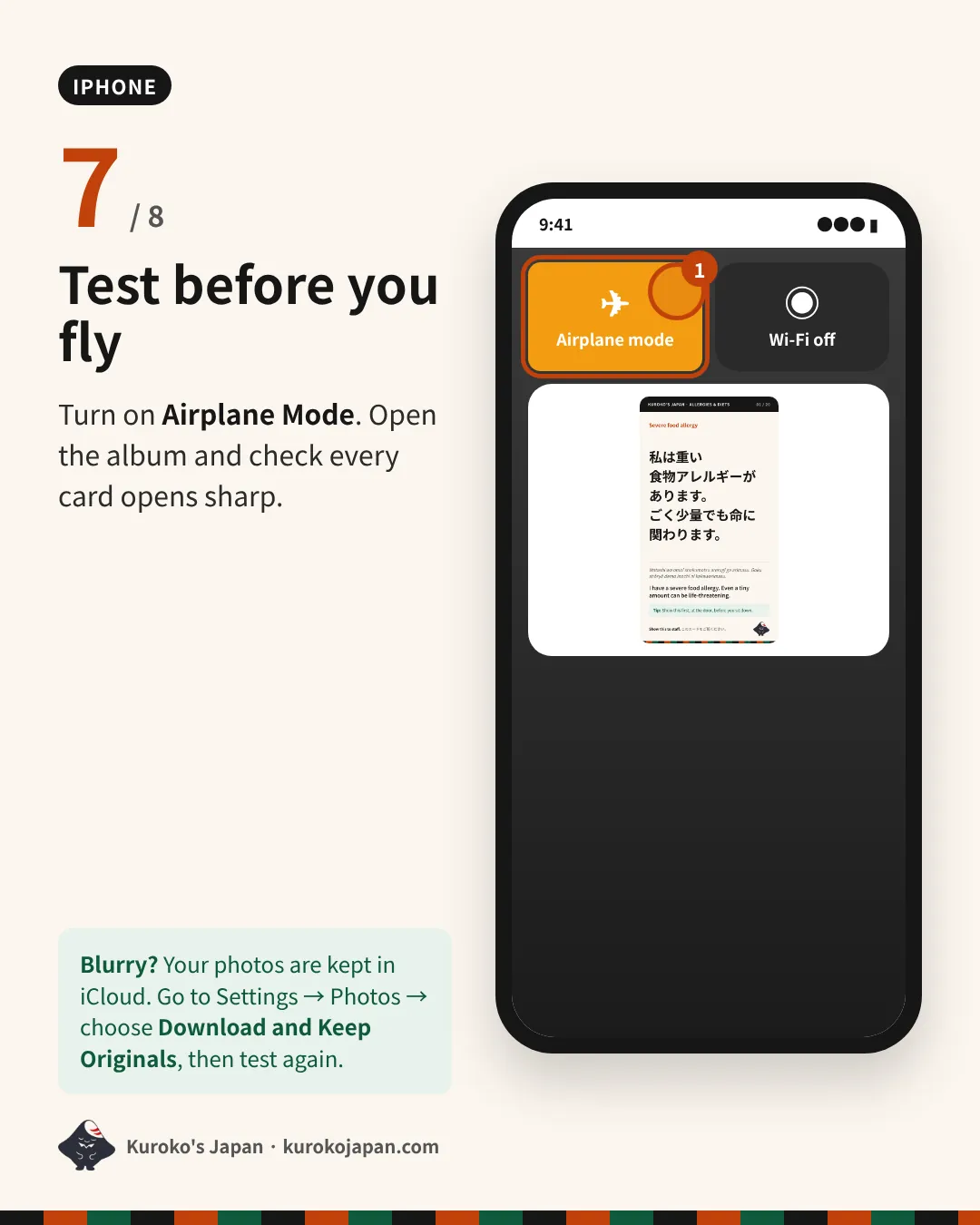
- Test before you fly
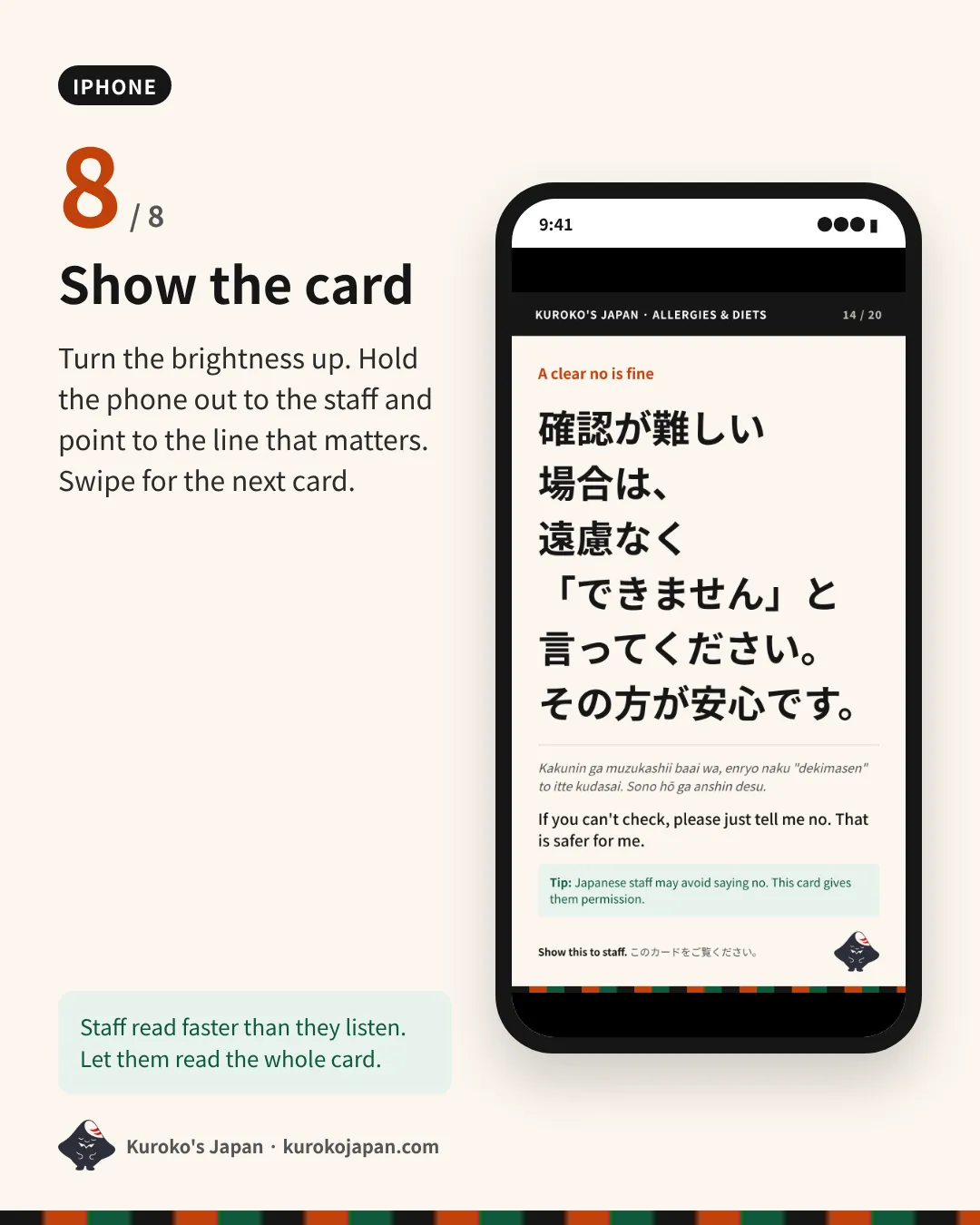
- Show the card
- Download the pack
- Open Files by Google
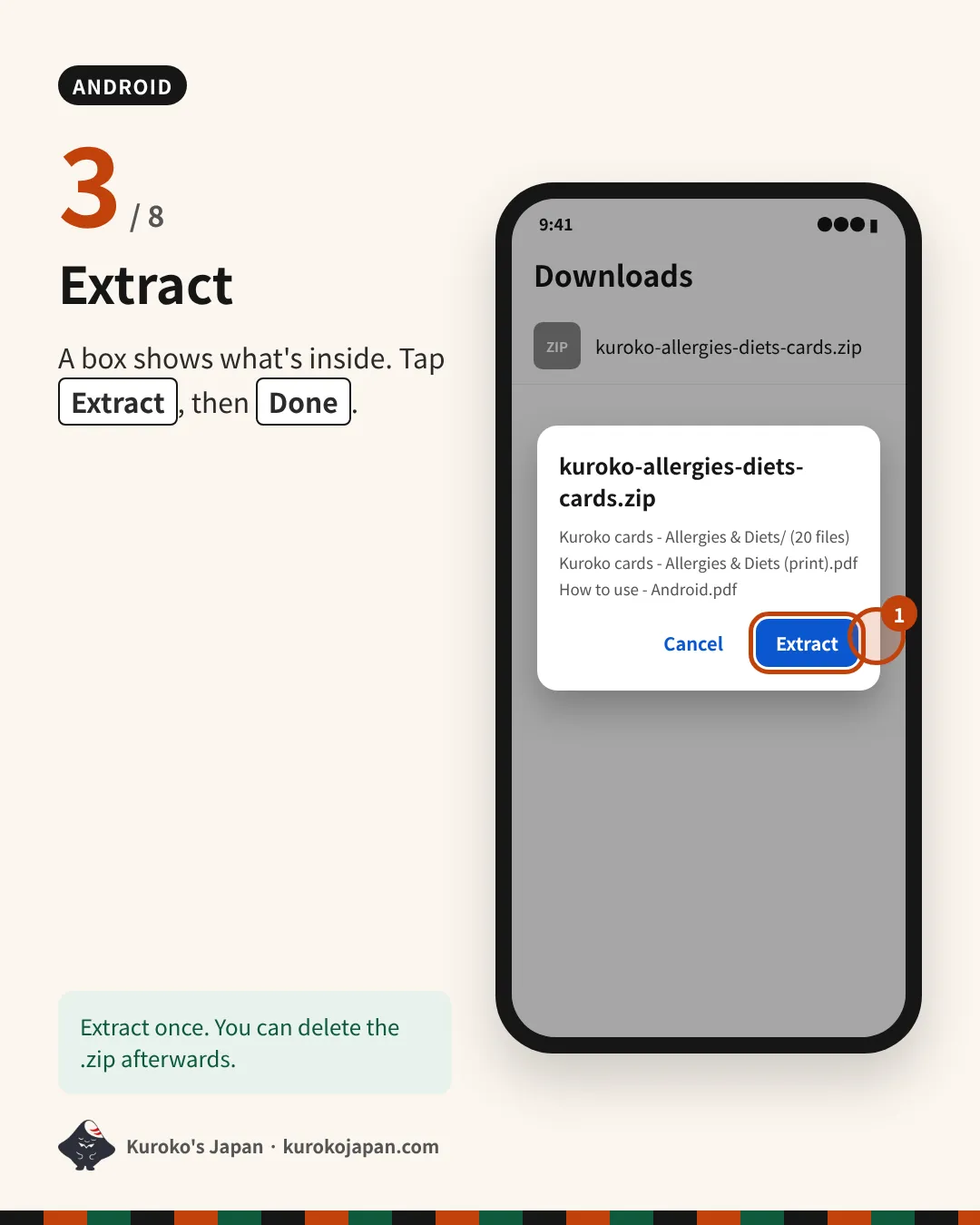
- Extract
- Check the card folder
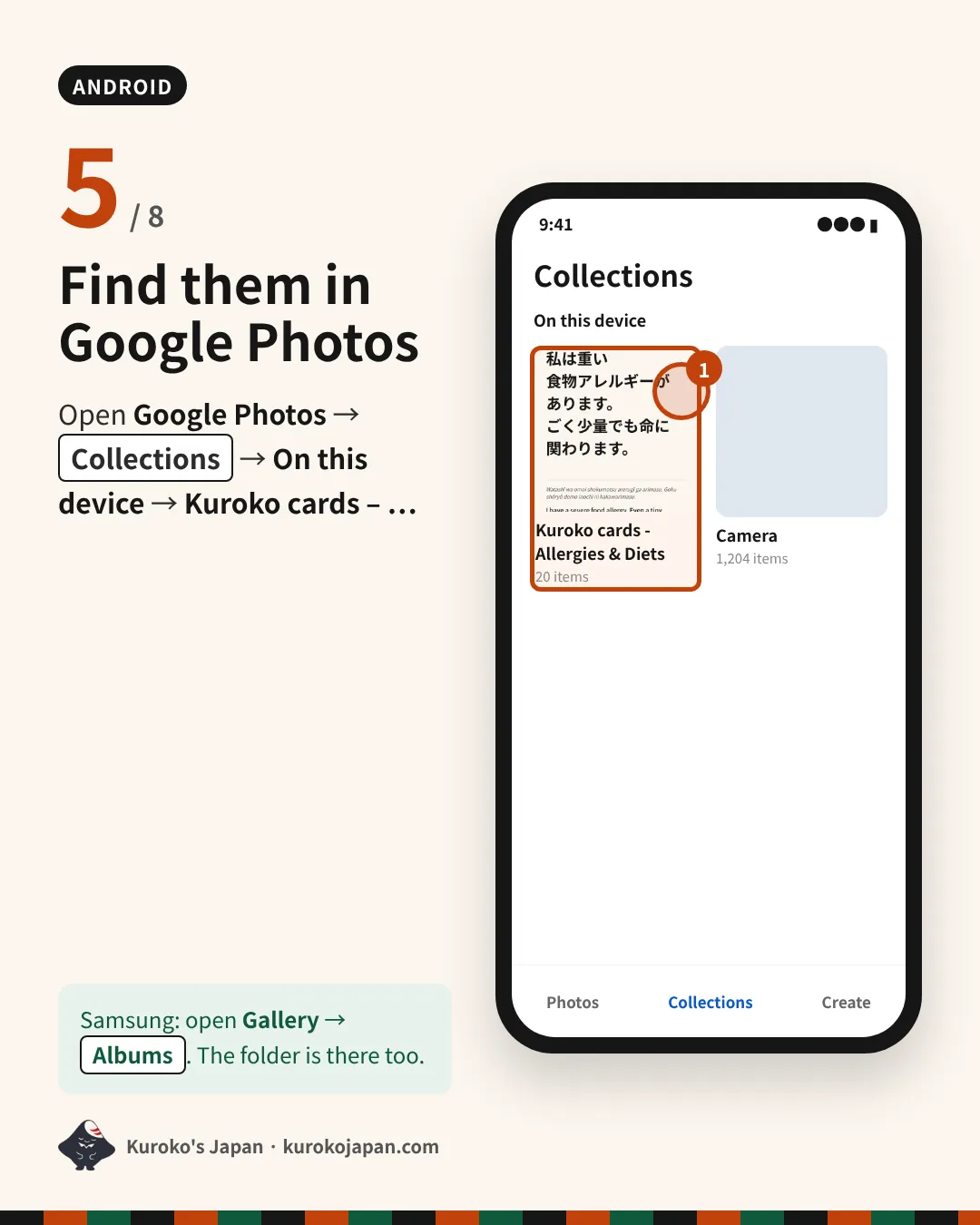
- Find them in Google Photos
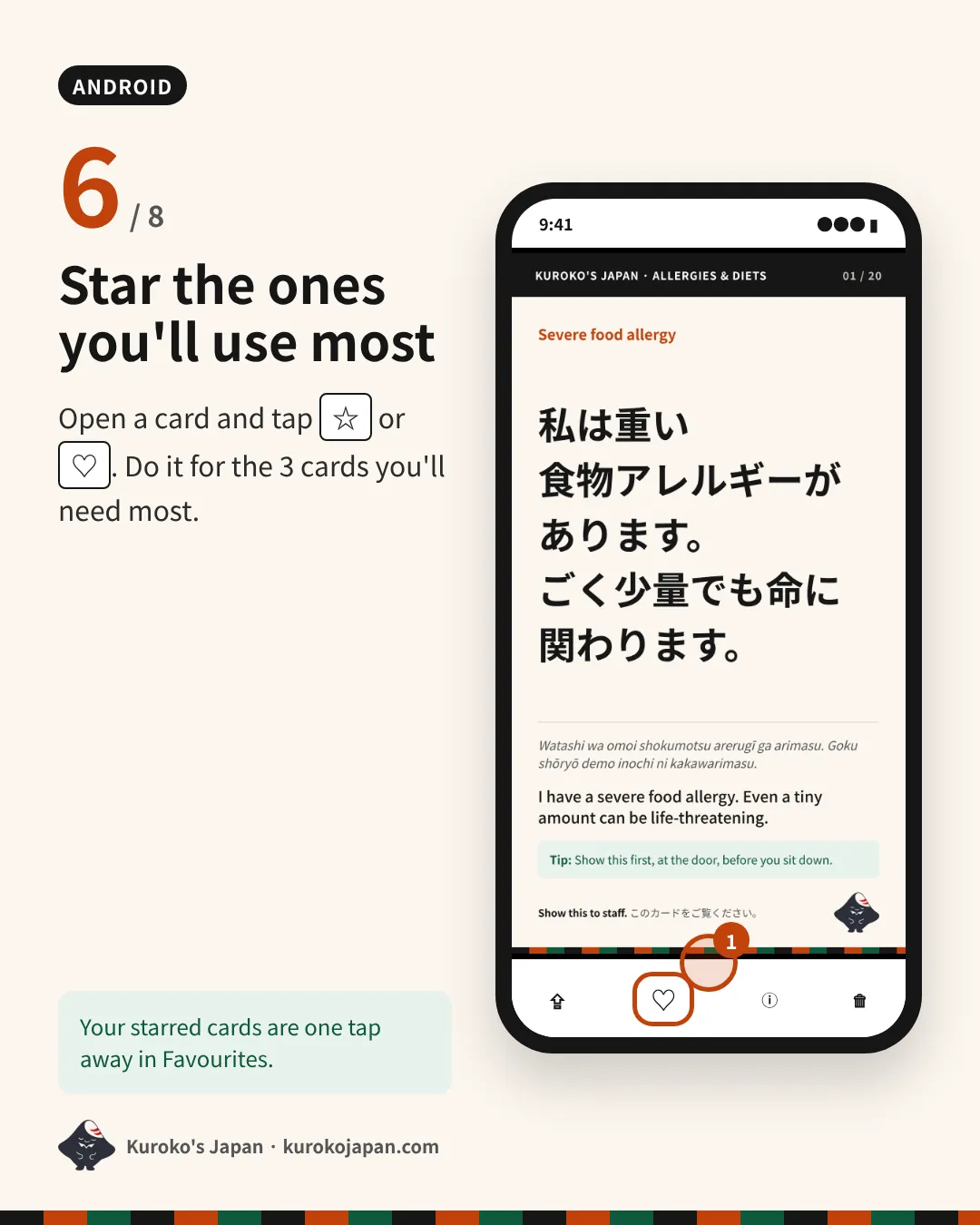
- Star the ones you'll use most
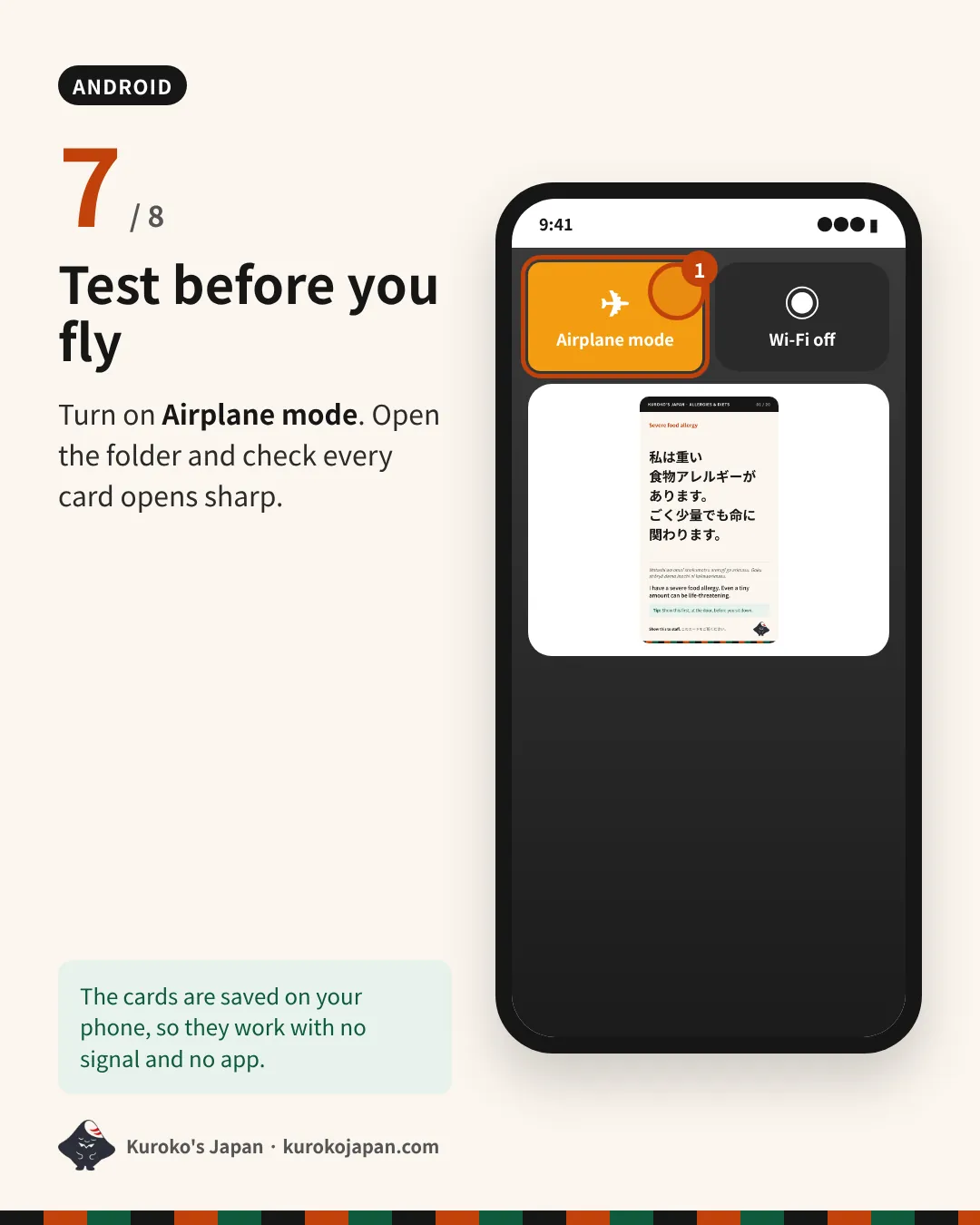
- Test before you fly
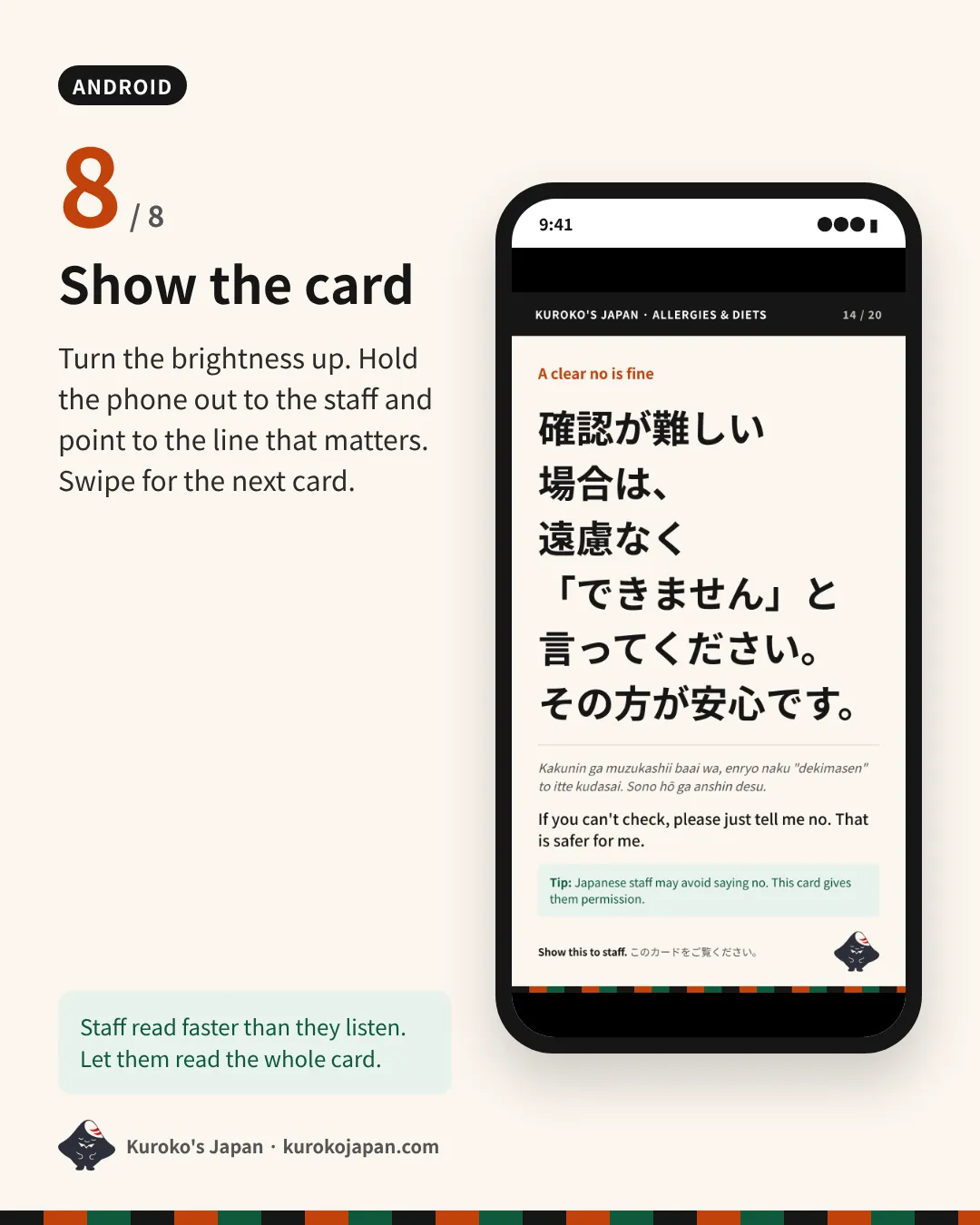
- Show the card
Stuck? Write to hello@kurokojapan.com with your phone model and the step number. We’ll help.
The same guide is inside every pack as a PDF: “How to use - iPhone.pdf” and “How to use - Android.pdf”.